


DanceHit: AI Dance Generator
4.6300.00 Reviews
App Specs
- Version
- 1.0.10
- Updated On
- License
- Free
- Downloads
- 100,000+
- Developer
- ScaleUp
- Categories
- Photography
- Platform
- Android
Screenshots
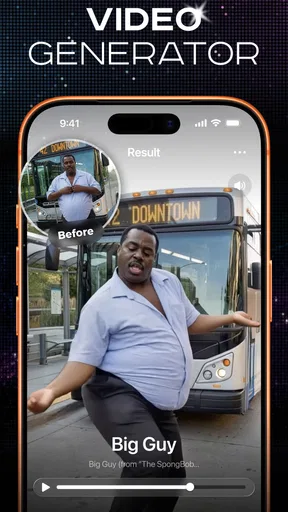
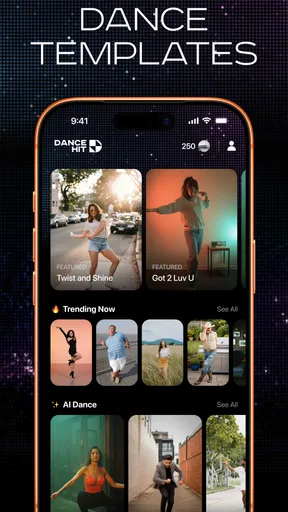
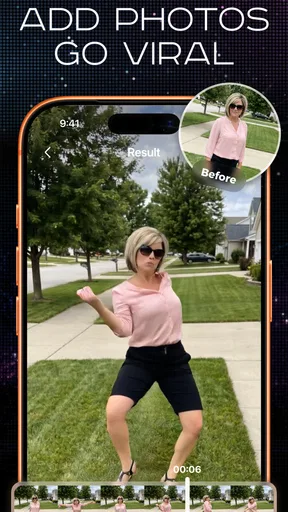
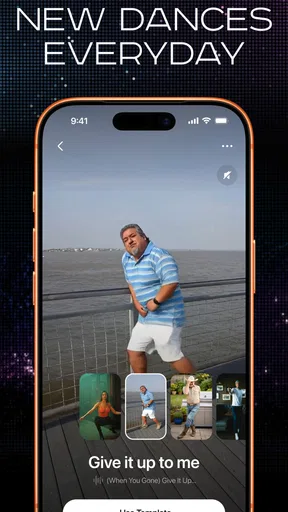
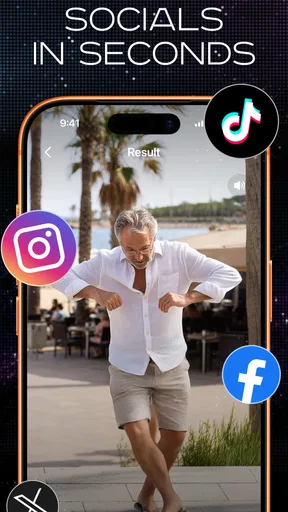
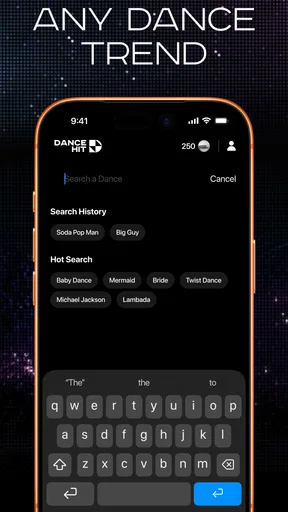
 Analysis by AppCompare
I’d reach for DanceHit when I have a photo that is amusing on its own but could work better as a short, shareable video. The idea is to animate a still image into a dance clip, with pets and babies among the subjects the app is aimed at. That makes it a very different kind of photography app from one built around editing, filters, or organizing a camera roll: its appeal is the quick transformation from a single image to a playful result.
DanceHit: AI Dance Generator is a free photography app from ScaleUp, and its focus is narrow by design. I see it as a novelty creation tool for social posts, messages, and lighthearted surprises—not as a replacement for a full video editor or a serious portrait app. That distinction matters: if you want a funny clip to send to a friend, the premise is appealing; if you need precise control over a finished video, you may want a more flexible editor.
From choosing a photo to sharing a clip
I treat the photo as the start of the whole idea, not just something to upload: the clearest, simplest image is usually the fairest test of a playful transformation. Once I have a candidate, I think ahead to whether the clip is for a private chat or a wider audience, since that choice affects what feels appropriate to share. Next, I’d focus on making the result and checking it before it leaves the app.
Start with the right image
The first decision happens before you open the app: choose a photo that gives the animation a fair chance. A clear subject, visible face, and uncomplicated framing are sensible starting points for any photo-to-motion workflow. For a pet, that might mean choosing a picture where the animal is not partly hidden behind furniture. For a baby, a straightforward portrait is a better bet than a distant group shot. These are practical selection tips, not guarantees; a playful concept still depends on the source image working well.
It also helps to think about the eventual audience before making anything. A clip meant for a private family chat can be silly and spontaneous, while something for a public social account benefits from a photo that is easy to recognize and a result that reads clearly on a phone screen. I would avoid beginning with a precious or important portrait. Start with an image you are comfortable experimenting with, then decide whether the result is worth sharing.
Keep the creation goal simple
DanceHit is best approached with one clear outcome in mind: turn one photo into a short dance-themed piece that makes someone smile. That is a more useful expectation than treating it as a general-purpose animation studio. Its stated concept centers on dancing subjects, so I would not choose it when the real goal is a polished montage, a narrated video, or a carefully timed sequence of several scenes.
For a realistic everyday example, imagine finding a sharp picture of a dog sitting by the door and wanting to brighten a family group chat. I would pick the cleanest frame, make the dance version, watch it through once, and share only if the subject still looks recognizable and the joke lands. The workflow is deliberately casual: the photo supplies the personality, and the animation supplies the surprise.
Worth Reading Before You Choose

EA SPORTS FC Mobile 26 Is a Bigger Football Game, but It Takes Time

Flipboard Shows What News Apps Must Do Beyond the Feed

Switching to Android Auto Means Rethinking Your Driving Routine

Google Calendar Makes a Crowded Week Easier to Manage

Ludo King Makes the Most of the Minutes Between Plans

Baby Panda World Brings Quick Play to Modern Phones, but Its Game Library Feels Busy
Make the source photo work harder
One useful habit is to compare a couple of candidate photos before you start rather than settling for the first one in your camera roll. A close, well-lit image may communicate the subject more clearly than a technically sharper photo taken from across a room. I would also favor a picture with some space around the person or pet, since a tight crop can leave little visual context once the image is transformed. This is a selection strategy, not a promise about how the animation will turn out.
For a pet, try to choose a frame where the animal’s face is turned toward the camera and its body is not tangled with another subject. With a baby, I would avoid a photo where an adult’s arm or a blanket covers much of the outline. That extra care can save time: if the first result is hard to read, it is easier to switch to a better source than to keep trying to make one complicated picture carry the whole joke.
Judge the output before handing it off
The important handoff is from creation to the place where the clip will be seen. Before sending it, I would check whether the subject remains visually clear, whether the movement feels amusing rather than distracting, and whether the clip suits the recipient. A result that works as a private joke may not fit a public post, especially if the person or pet in the original image is someone else’s. A quick preview and a little discretion are more useful than sharing automatically.
That review step also helps set expectations. Turning a still photo into motion is a playful effect, not a promise that every source image will produce a natural-looking performance. If the output feels odd, the problem may be the particular image rather than the whole idea. Trying another photo with a clearer face or less visual clutter is a reasonable next move; repeatedly pushing a poor source image is less likely to improve the outcome.
Plan the handoff to your audience
When I make something for a group chat, I would treat the finished clip as a small social message rather than just a file to export. A familiar pet photo may need no explanation, while a transformed image of someone else could benefit from a quick note so the joke is understood as affectionate. For a public post, I would check the framing on a phone and consider whether the image still makes sense without the backstory. That simple pause can make the difference between a clip that feels personal and one that feels confusing.
If the result is only one element in a larger post, I would decide where it belongs before moving it into another tool. A basic video editor is useful for placing it beside other footage, adding context, or controlling the order of scenes. DanceHit is most useful at the moment of transformation; a separate editor can take over when the task changes from making the dance effect to shaping a complete piece of content.
Where it sits among photography apps
Compared with the usual photo editor, DanceHit is less about adjusting an image and more about making a single image behave like a small entertainment piece. A conventional editor is the better choice for cropping, color correction, retouching, or preparing a consistent set of pictures. A video editor is better when you want to arrange multiple clips, add a deliberate narrative, or fine-tune timing. DanceHit makes most sense when the transformation itself is the point.
That narrow purpose is both its advantage and its limitation. You do not need to think like an editor to understand why you might use it: pick a photo, seek a dance effect, and decide whether the result is worth passing along. But anyone expecting a broad toolkit for photography or video production should look elsewhere. I would treat it as a companion for occasional creative moments, not the central app in a content workflow.
Who is likely to enjoy it
I can see it appealing to people who like turning pet photos into jokes, parents looking for a playful family-chat surprise, and casual social users who want a simple concept rather than a long editing session. It may also suit someone who enjoys trying novelty effects but does not need every result to look professionally produced. The strongest use case is low-stakes: make a clip, enjoy the reaction, and move on.
It is also a better fit for someone who already has a photo in mind than for a person looking for a complete content idea from scratch. The source image supplies most of the personal meaning, so the app is strongest when you have a subject your friends or family recognize. If you are posting for an audience that does not know the person or pet, the novelty may have less impact unless the image is immediately clear.
Who should choose another tool
I would skip it if your priority is dependable realism, detailed manual control, or a finished video built from several assets. It is also a poor fit for anyone who dislikes AI-style transformations or would rather keep a photograph untouched. The dance premise is inherently playful, so the app is not trying to serve every photography need. Knowing that before starting prevents the common mismatch of expecting a precise editor from a focused effect app.
I would also choose a standard editor if the job is to prepare images for a family album, improve a portrait, or make a consistent set of product photos. Those tasks depend on control and repeatability rather than an unexpected animation. For a social video with several shots, captions, and deliberate pacing, a dedicated video editor is the more practical starting point. DanceHit is a side tool for a specific moment, not a shortcut around those different workflows.
Practical trade-offs before installing
The app is rated for Everyone, which makes its lighthearted subject matter accessible to a broad audience, though I would still use good judgment when sharing images of children or other people. The listed price is free, while in-app purchases range from $11.99 to $39.99 per item. I would check the purchase details in the app before committing to anything and decide whether the free experience already covers the occasional clip I want to make.
Its average rating is 4.6 from around 12,000 ratings, and it has more than 100,000 installs. Those figures suggest that people have tried it and that the concept has found an audience, but they do not tell me whether a particular photo will animate convincingly. I would use them as background context, not as a substitute for judging the result with my own images.
DanceHit is on version 1.0.10 and was released on July 23, 2026. It requires operating system version 12 or later. That compatibility detail is worth checking before planning a family or group activity around it, particularly if someone intends to create a clip on an older device. A technically unsuitable phone can stop the workflow before the photo-selection question even comes up.
What to decide before paying or sharing
Since the app is free to start and offers in-app purchases, I would separate two questions: whether I enjoy making this kind of clip, and whether I need anything beyond the free experience. I would try a low-stakes photo first, then look at the specific purchase option only if I have a clear reason to continue. That keeps a spontaneous experiment from turning into an unplanned spend, especially if I expect to use the effect only occasionally.
Before sharing, I would also consider who owns the image and who might see the result. A pet photo from a friend can still be someone else’s to circulate, and a child’s image deserves a more careful audience check than a harmless-looking joke might suggest. If I am unsure whether a public post is welcome, I would keep the clip private or ask first. The easy part is creating a transformation; deciding where it belongs is the more personal step.
When the creative flow breaks
The main friction is that a one-photo concept puts a lot of weight on the input. A busy background, an awkward angle, or a subject that is hard to distinguish can make the whole idea less effective. My practical workaround is to choose a simpler image first, rather than assuming the app can rescue every photograph. If the subject still looks wrong in the result, I would switch to another source image or use a different kind of app for the job.
There is also a mismatch risk between novelty and intent. A dancing version of a pet may be funny to one person and uncomfortable to another; an image of a child deserves particular care before it leaves a private conversation. I would avoid sharing without considering who is pictured and where the clip will appear. The ease of making something entertaining does not make every result appropriate for every audience.
Finally, the app’s focused promise may feel limiting after the first few experiments. If I wanted to produce a more complete social video, I would move the idea into a dedicated editor and build around it there, rather than expecting DanceHit to handle every stage. That handoff is a strength when the app is used as a quick source of a playful visual, but a drawback if you want one tool to take a project from concept to polished publication.
My take after following the workflow
DanceHit: AI Dance Generator is worth considering if the specific pleasure you want is seeing a still photo become a lighthearted dance clip. I like the clarity of that use case: choose a suitable image, make something unexpected, preview it, and share selectively. The app is not the right answer for careful video production or conventional photo editing, and a weak source image can undermine the effect, so I would keep expectations modest.
For an occasional laugh with friends or family, that trade-off feels reasonable. I would install it for a playful experiment rather than a dependable creative workflow, start with a clear and low-stakes photo, and check the result before passing it on. If that is the kind of small, personal bit of fun you are after, DanceHit has a clear reason to be on your phone; if you need control, consistency, or a broader editing toolkit, a conventional editor is the better choice.
Pros
- Turns a still photo into a short AI-generated dance clip.
- Simple workflow makes it easy to create a video from a photo.
- Offers a playful way to make personalized clips for sharing.
- AI animation can add movement without filming a dance yourself.
- Useful for lighthearted edits and social-media-style content.
Cons
- Results may vary depending on the photo and the AI animation.
- Some outputs can look unnatural or distort parts of the subject.
- Creating and saving videos may require an internet connection.
- Free access may be limited by credits
- features
- or in-app purchases.
- Consider consent and privacy before uploading photos of other people.
FAQs for DanceHit: AI Dance Generator
What is DanceHit: AI Dance Generator?
DanceHit: AI Dance Generator is an app designed to create dance-style videos using artificial intelligence. Depending on its available features, you may be able to select a photo or other input, choose a dance effect, and generate an animated result. It is intended for casual entertainment and sharing rather than professional choreography. Check the app listing for the latest feature details, since tools and supported formats can change between versions.
How do I make a dance video with DanceHit?
The usual process for an AI dance app is to choose a supported image or video, select a dance template or effect, and let the app generate the animation. DanceHit’s exact workflow, available templates, and processing time may vary by version and device. Before starting, review the in-app instructions and make sure you have permission to use any photo you upload, especially if it shows another person.
Is DanceHit: AI Dance Generator free to use?
The app may be available to download without an upfront payment, but some templates, generation features, or other tools could require a subscription, in-app purchase, or credits. Pricing and free-use limits can change, so check the current store listing and the payment details shown inside the app before confirming a purchase. If a trial is offered, note its renewal terms and cancellation deadline.
What happens to photos or videos I upload to DanceHit?
Creating an AI animation may require the app to process uploaded media on your device or through an online service. The precise handling of images, retention period, and sharing practices depend on DanceHit’s current privacy policy and permissions. Review those details before uploading, avoid using sensitive images, and obtain consent from anyone pictured. You can also check whether the app provides options to delete uploaded content or generated results.
Can I share DanceHit videos, and what should I check before downloading?
Generated videos may be suitable for sharing if DanceHit provides an export or sharing option, but availability can depend on the app version or account plan. Check whether exported videos include a watermark, have resolution limits, or require payment. Before downloading, confirm that the app is compatible with your device and read recent store reviews for current performance, permissions, and subscription information.


